Showing posts with label ec2. Show all posts

Thursday, December 12, 2013

Need massive compute power? Bitnami now supports C3 instances in Amazon EC2

We’re pleased to announce that Bitnami now supports AWS C3 instances. C3 is the next generation of high performance and economical processors for helping EC2 users to crunch big data or manage 3D graphics or perform other magnificent feats of computing glory.
We already support the general purpose M1-M3 types and computer optimized C1 types. When Amazon announced the new C3 type last month, we got to work.
C3 clould server hosting with Bitnami
Selecting a C3 instance through Bitnami is simple.
  1. Launch an image from our library in the cloud
  2. Open the Bitnami Cloud Hosting interface to manage your server
  3. Select the server you want to manage, click the Manage button, then resize the server using the slider 
And you're done!


Ready to get started?

Launch Btinami server

Get an instance of Wordpress, Joomla, Alfresco, MongoDB, or any of our other 80+ open source apps in minutes.

Thursday, June 6, 2013

AWS SDK for Node.js now in BitNami Cloud Tools for AWS

Amazon recently released a new AWS SDK for Node.js which provides JavaScript objects for AWS services like Amazon S3, Amazon EC2 and DynamoDB. We are glad to announce that this SDK has already been included in the BitNami Cloud Tools for AWS installers available for Windows, Linux and Mac.

You can now find this new SDK and the Node.js runtime itself  together with other useful development kits like the AWS SDK for Java and the AWS SDK for Ruby in BitNami Cloud tools. These tools allow you to manage AWS services from the command line or programmatically using your preferred development language.

In this version we also include major updates of other core components, which include features such as:

- AWS Elastic Beanstalk 2.4.0 adds EC2 Role support for log publication and support for displaying Events, Tail Logs and EB Push.

- Amazon RDS Command Line Toolkit 1.14.001 adds support for read replica status.

AWS SDK for Ruby 1.11.0 adds support for web identity federation to AWS Security Token Service. Since 1.8.0 (previous version included in BitNami cloud tools) it also adds  support for parallel scan in Amazon DynamoDB, Elastic Load Balancing support in AWS OpsWorks and support for the AWS Support API.

- AWS SDK for Java 1.4.5 adds support for web identity federation in AWS Security Token Service (STS). Since 1.3.27 (previous version included in BitNami cloud tools) a lot of new features have also been included. Now it also supports Parallel Scan in Amazon DynamoDB, Elastic Load Balancing in AWS OpsWorks, the AWS Support API, automatic endpoint management in SQS,  Amazon EC2 default virtual private clouds, Amazon Redshift, Amazon Elastic Transcode, Amazon RDS DB Instance renaming and IAM role in Amazon Elastic MapReduce.


Thursday, November 1, 2012

Lower prices for Amazon EC2

Good news! Yesterday Amazon announced that it is lowering its prices for standard instances in the North Virginia and Oregon regions. If you are using BitNami in the Amazon Cloud, you will benefit from the price reduction right away because we do not have any extra surcharge over the standard Amazon prices. As a reminder, you can launch BitNami apps from the Amazon AMI Catalog, the AWS Marketplace or from our own service BitNami Cloud Hosting.

Thursday, August 4, 2011

BitNami Cloud Tools for AWS


Today we are happy to announce a new addition to the BitNami family: BitNami Cloud Tools. Over the years, we have become pretty good at packaging open source web applications and making them easy to install. We started with native installers and virtual machines and lately we have had great success with BitNami Cloud Hosting for launching those same apps in the cloud. Now we want to bring the same ease of use to developer and system administrators of cloud environments, starting with the Amazon Cloud. Our first two projects are the BitNami Cloud Tools installer (available now) and the BitNami Cloud Agent (currently in private beta). Our cloud tools installer is a collection of all the official command line tools available for the Amazon tool: EC2, Beanstalk, ELB, RDS, etc. They come bundled with a JDK and a Ruby 1.9 runtime so, with a single download, you get a fully configured environment to start playing with every Amazon API. We will be keeping it up-to-date and adding new tools as they become available.

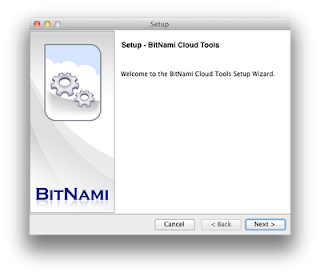
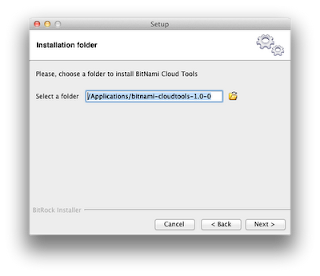
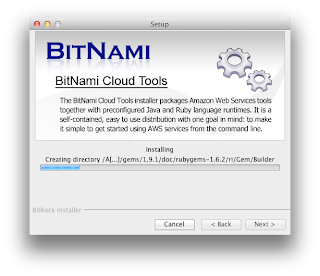
Everybody loves screenshots :)  So we took some to show you what the installation process looks like


Assuming you already have an AWS account, the next step after installation is to configure AWS credentials properly. The BitNami Cloud Tools stack is already configured in such a way that all AWS tools expect the following files to be present: 


 - config/aws-credentials.txt: You need to add there AWS Access Key ID and AWS Secret Access Key.
 - config/ec2.crt: Copy AWS PEM-encoded X.509 certificate to this location. 
 - config/ec2.key: Copy AWS Private key file to this location. 


Please make sure that all those files are readable only by your user id. On Unix systems you may want to execute the following command: 


$ chmod 600 config/* 


Now you can run any of the available commands to interact with the Amazon EC2 web service interface. You can use these tools to register and launch instances, manage security groups, etc.

On Windows, you can see a Start Menu Shortcut where you can find the "aws-cmd" to start working with AWS Tools.

Start Menu
Listing regions
You can list the instances that you have currently running, in this case from OS X.
Listing running servers


The complete set of tools included in this release:

aws-ec2-ami 1.3-66634
aws-ec2-api 1.4.3.0
aws-beanstalk
aws-elb 1.0.12.0
aws-iam 1.2.0
aws-rds 1.4.006
aws-sns 1.0.2.3
aws-auto-scaling 1.0.33.1
aws-cloudformation 1.0.8
aws-cloudwatch 1.0.12.1
It also ships the AWS SDK for Ruby and Java:
aws-sdk-ruby 1.0.3
aws-sdk-java 1.1.7.1