Showing posts with label release. Show all posts

Friday, December 7, 2018

WordPress 5.0 is Now Available on Bitnami

WordPress, the most popular open source CMS, has just announced the biggest release of the year with WordPress 5.0. And now, it is available in the Bitnami catalog.

You can deploy Bitnami WordPress 5.0 in just a few clicks:
And for the most demanding environments, you can also try Bitnami WordPress Multi-Tier which separates the application code from the database. It is available on Google Cloud Platform, Azure or AWS.

So, what's new in WordPress 5.0?

WordPress offers now a new content creator/editor called Gutenberg. This new core block builder will change how WordPress works, and replace the existing classic editor. Gutenberg will make the content writing and editing process more modern and faster. Create blocks, drag and drop elements, and adding media files is now easier than ever.
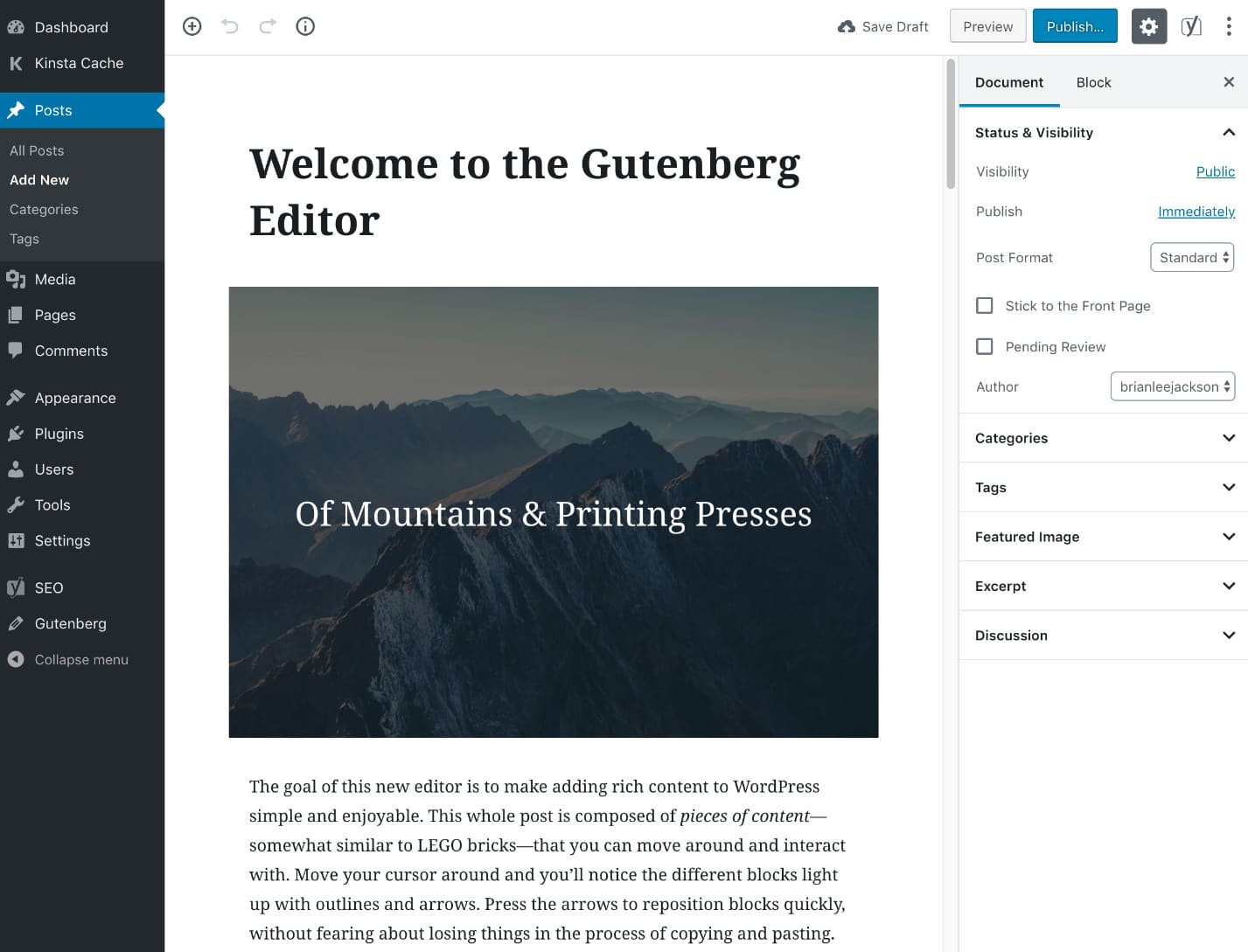

New Gutenberg WordPress Editor

WordPress 5.0 also includes the new minimal Twenty Nineteen theme, with full front and back-end Gutenberg support.

This release also includes other features like security updates, front-end editor improvements, mobile optimization and much more.

Twenty Nineteen WordPress theme

Get started with the new version of WordPress today! If you have any questions about how to update your Bitnami WordPress, check out our step-by-step guide or reach out to us on the community support forum. We'd be happy to help you! 

Thursday, November 16, 2017

WordPress 4.9 is now available on Bitnami

WordPress, the most popular open source CMS has just released the “best release ever” in their own words (188 enhancements and new features has been added). And now, WordPress 4.9 is available in the Bitnami catalogue. 


Here are some of the most remarkable new features and enhancements included in this WordPress version:

New widgets and improvements

In addition to the new media widgets included in the prior version, version 4.9 also includes a Gallery widget for adding galleries both in the post content and in the sidebar.


New Gallery widget for post content and sidebar


We can highlight that this new version (at last!) support shortcodes in the text widget. The theme switching has also been enhanced.

Improvements for customizing sites

WordPress has improved the experience of discover, install and preview new themes on the customizer. The Nav Menu side has been also upgraded: a more clear menu panel that facilitates adding a new menu to the desired location.

Changes on the Nav Menu based on user experience tests


Code with more security and reliability 

WordPress has reintroduced syntax highlighting and includes linting and auto-completion by incorporating the CodeMirror library. Apart from this, the Additional CSS Integration also incorporates the detention of syntax errors.

CodeMirror supports linting to detect errors in your code


This new version has a bunch of updates that you can’t miss.  New interesting changes for developers in WordPress Multisite (which is also available in the Bitnami catalogue) or new capabilities for plugins and language files amongst others, are waiting for you.

You can deploy Bitnami WordPress 4.9 in just a few clicks:


And for the most demanding environments, you can also try Bitnami WordPress Multi-Tier which separates the application code from the database. It is available on Google Cloud Platform, Azure or AWS.

Thursday, November 3, 2016

Critical Security Release for GitLab (CVE-2016-9086)

The Gitlab project released a new update that contains an important security fix for a critical directory traversal vulnerability, and we strongly recommend that all GitLab installations be upgraded to the new version immediately.

We released new versions of Bitnami Gitlab 8.13.3 installers, virtual machines and cloud images that fix the security issue.

Directory traversal via "import/export" feature: CVE-2016-9086


Added in GitLab 8.9, the "import/export project" feature of GitLab allows a user to export and then re-import their projects as tape archive files (tar). All GitLab versions prior to 8.13.0 restricted this feature to administrators only. Starting with version 8.13.0 this feature was made available to all users.

More information about the issue can be found in the official blog post.

Workarounds


If you're unable to upgrade right away, you can secure your GitLab installation against this vulnerability using the workaround outlined below until you have time to upgrade.

Disable Project Import/Export via Tape Archive

Login using an administrator account to your GitLab installation and perform the following:

- Choose "Admin Area"
- Click "Settings"
- Under "Import Sources" disable the "GitLab export" option
- Click Save

Verifying the workaround

- In a Browser Window, login as any user
- Click "Projects"
- Click "New Project"
- Enter a project name
- Verify that "GitLab export" does not appear as an import option

Do you have questions about Bitnami Gitlab or the security issue? Please post to our community forum, and we will be happy to help you.